
Pictory Free Trial Review: Is It Worth It for Faceless Video? (2026)
The Pictory free trial lets you turn blog posts, scripts, and long videos into short, captioned videos without filming or editing skills — useful if you want faceless content fast. But the trial is limited (around 15 minutes of video, watermarked), the output can look generic, and the best “long video into shorts” feature is locked behind a paid plan. It’s genuinely good for generating a script and a rough draft video — less so if you need polished, ready-to-post Shorts.
I didn’t plan to review Pictory. I just wanted to turn one of my blog posts into a few YouTube Shorts without sitting and editing for hours.
So I tried the Pictory free trial. It took my blog post and made a video out of it — and honestly, that part worked. But the video came out long, it had that stock-footage look, and a watermark across it — because that’s the free trial. It’s meant to show you the workflow, not hand you a finished video. And when I tried to cut it into short clips for Shorts, I just couldn’t get it the way I wanted. I played around with it for a while, left it, came back, and eventually gave up on that part.
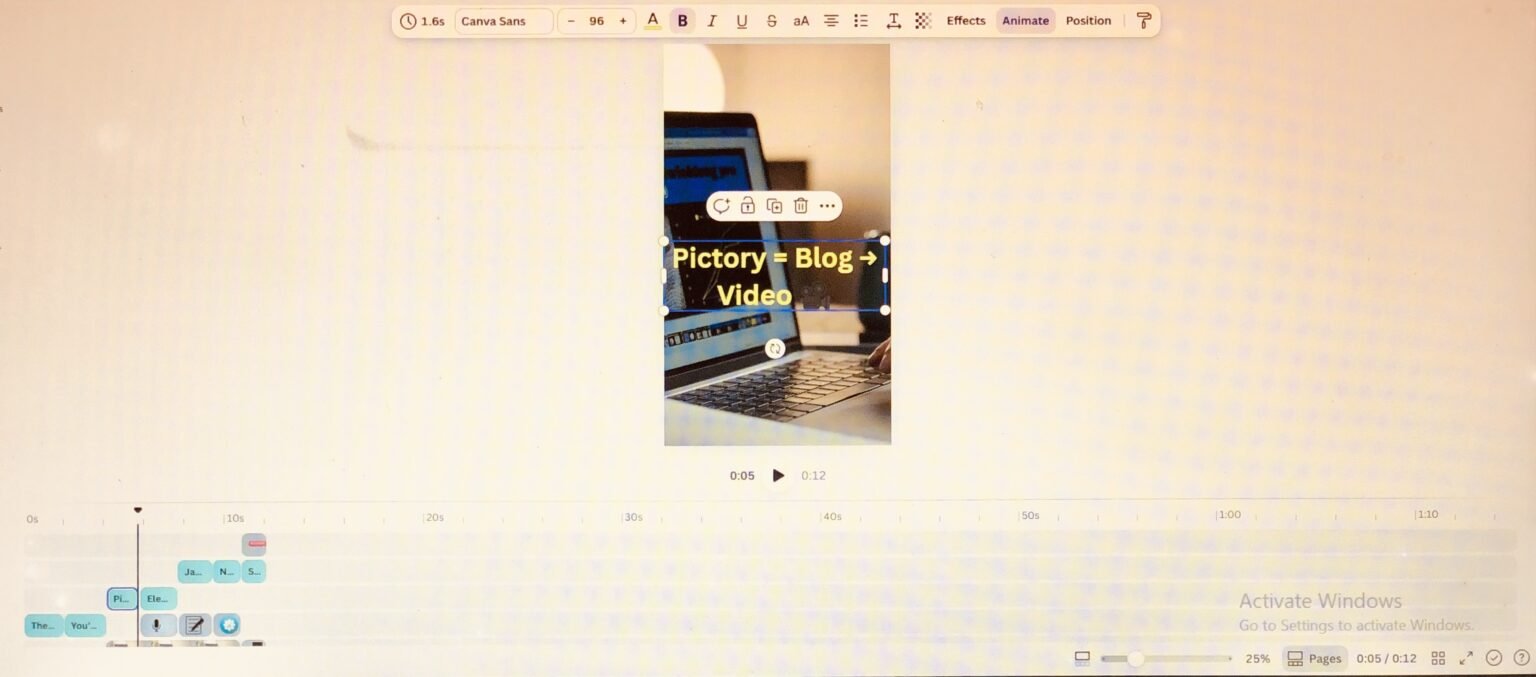
But here’s the thing — it wasn’t a waste. The script it made for me was actually good. Good enough that I took that script and built the real video in Canva instead. And somewhere in all that back and forth, I used up my free trial without even noticing.
So this is my honest review — what the Pictory free trial actually does, where it helped me, where it didn’t, and who it’s really for. Not from reading the sales page, but from actually using it for something real. And by the end, once I understood what the paid version removes, I could see why the trial feels the way it does.
Want to see what it does before reading my full take? You can try the Pictory free trial here and follow along.
What is Pictory, exactly?
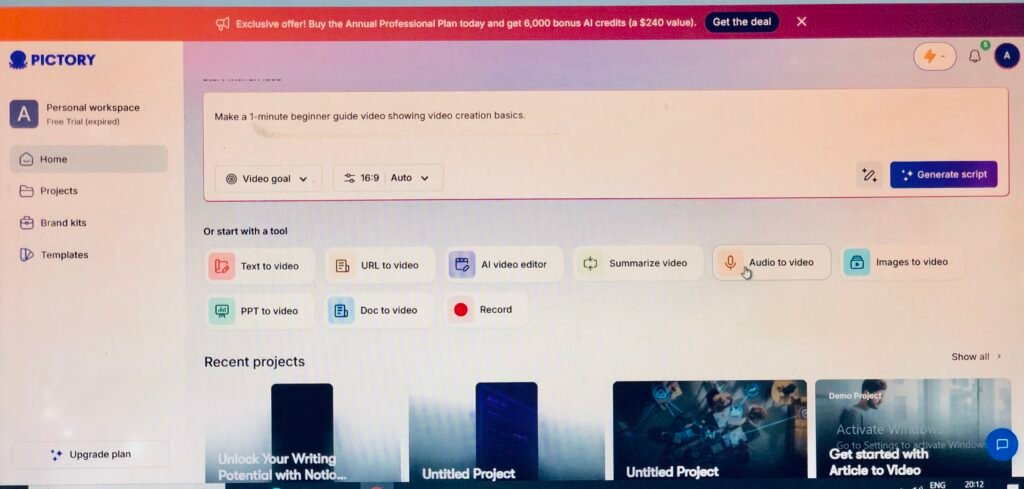
Pictory is an AI tool that turns text and existing footage into videos. Paste in a blog post or a script, and it builds a narrated, captioned video using stock clips. Drop in a long video — a webinar, a podcast, a recording — and it can pull shorter clips out of it. The whole promise is video without filming, without editing skills, and without appearing on camera.
One important thing to be clear about, because it decides whether it’s right for you: Pictory does not create original or “talking avatar” video of you. It works with stock footage, text-on-screen, captions, and voiceovers. So it’s built for faceless or repurposed video — not for anyone whose content depends on showing their own face.
What actually worked (the script)
I’ll give Pictory real credit here: the script and text-to-video part is good. When I fed it my blog content, it pulled out the key points and turned them into a usable script and a rough video structure faster than I could have done manually. That’s its real strength — taking something you’ve already written and giving you a video starting point in minutes.
That’s genuinely useful, and it’s why I didn’t walk away empty-handed. Even though I didn’t use Pictory’s final video, the script it gave me was good enough to build the real thing elsewhere. If your goal is “help me get from blog post to a video script fast,” it does that job well.
What didn't work (the honest part)
This is where most reviews go quiet, so here’s the real experience:
- The output had that stock-footage look. The video Pictory built felt flat — the kind of stock look you’ve seen a hundred times, with a watermark on top because it’s the trial. To be fair, this is partly just how Pictory works on every plan: it builds videos by matching your words to stock clips rather than filming anything new. Paying mostly buys you sharper 1080p quality, better voices, and a bigger clip library — and you can upload your own footage to make it feel more original. So the “generic” feel isn’t a free-trial bug; it’s the trade-off of AI stock video, and the paid plans soften it rather than removing it completely.
- The “turn a long video into Shorts” feature wasn’t available on my trial. I wanted to cut my video into short clips — but that automatic highlight/clips feature is a paid-plan feature, not something you fully get on the free trial. So I couldn’t do the one thing I came for. Worth knowing before you start the trial expecting it.
- The free trial runs out fast. It’s roughly 15 minutes of video, watermarked, and I burned through mine during this trial-and-error without realizing. Enough to test the workflow — not enough to really judge the quality at scale.
Who Pictory is actually for
Based on using it, Pictory fits one person really well: the creator or solopreneur who needs a lot of faceless video, fast, and doesn’t want to film or edit. If you’re making social clips, repurposing blog posts into video, or running a faceless channel, its speed is the draw — you trade some polish for a huge time saving.
It’s also a solid script and starting-point generator. Even if you don’t use its final video (like me), the script it produces can feed into a tool you prefer.
Who Pictory is NOT for (read this before you pay)
- Anyone whose brand is their face. Coaches, personal-brand creators, talking-head YouTubers — Pictory doesn’t record you or create a video version of you. If your audience follows you, stock-footage video works against that.
- Anyone who needs polished, original, or cinematic video. The output is functional, not professional-grade. No advanced editing, no original AI-generated scenes — it’s stock clips matched to your words.
- Anyone expecting the free trial to do everything. The auto-shorts feature and the better tools sit on paid plans. If you’re trialing it purely to cut long videos into clips, you may hit that wall like I did.
If that’s you, Pictory isn’t the tool — and I’d rather tell you that than talk you into a trial you’ll regret.
Is the free trial enough, or should you upgrade?
Here’s the honest truth about the free trial: it’s limited on purpose. You get a watermark on every video, around 15 minutes of video total, 720p quality, and the basic (slightly robotic) default voice. The things that make Pictory genuinely useful — no watermark, the natural ElevenLabs voices, 1080p export, the much bigger stock library, and the automatic “turn a long video into shorts” feature — all sit on the paid plans.
So think of the free trial as a test drive, not the real product. It’s there to answer one question: does Pictory fit the way I work? If the answer is yes, that’s when a paid plan stops it being a watermarked demo and makes it an actual content tool.
For most creators who are serious about putting out videos regularly, the Professional plan is the sweet spot — it’s where the better voices, the higher quality, and the video-summarization (long-to-shorts) feature live. The Starter plan works if you just want the watermark gone and a few videos a month. But if your whole reason for using Pictory is repurposing long content into Shorts — the exact thing I couldn’t do on the trial — that feature is on the paid tiers, so that’s where you’ll actually get what you came for.
My honest advice: don’t judge Pictory by the free trial. The watermarked, 720p, robotic-voice trial isn’t the real tool — it’s a preview. Use it to confirm the workflow suits you, then upgrade to unlock the version that actually does the job.
Pictory pricing (and the free trial)
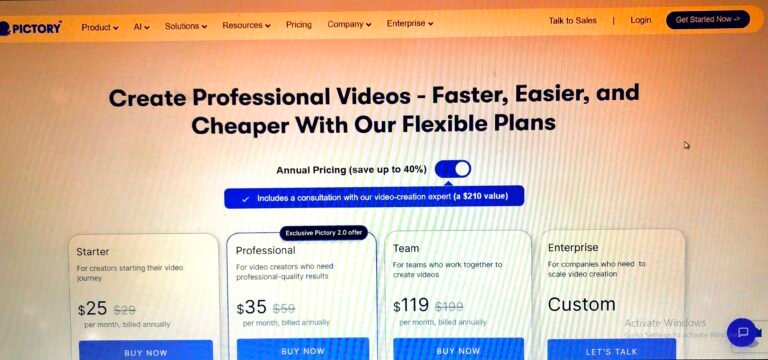
Pictory doesn’t have a permanent free plan — just a 14-day free trial (around 15 video minutes, watermarked). After that, these are the paid plans:
| Plan | Monthly | Annual (per mo) | Best for |
|---|---|---|---|
| Free trial | $0 (14 days) | — | Testing the workflow |
| Starter | $29 | $25 | Solo creators, a few videos a week |
| Professional | $59 | $35 | Marketers making daily content |
| Team | $199 | $119 | Teams of 3+ |
| Enterprise | Custom | Custom | Large teams |
The jump most people weigh is trial → Starter. Just know the auto-shorts/highlight feature that makes repurposing easy tends to sit on Professional, not Starter — so if that’s your main reason, check which plan actually includes it before you pay.
Pros and cons
Pros
- Turns blog posts and scripts into video in minutes
- Genuinely good script / starting-point generator
- No filming, no editing skills, no being on camera
- Auto-captions and voiceovers built in
- Fast way to repurpose existing content
Cons
- Output can look generic (shared stock library, repetitive clips)
- Best “long video → shorts” feature is locked to paid plans
- Free trial is short (~15 min) and watermarked
- Not for professional, cinematic, or face-based video
- Voices can sound robotic on lower tiers
FAQ
Is the Pictory free trial really free?
Yes — it’s a 14-day trial with no charge, but it’s limited (around 15 minutes of video) and the output is watermarked. There’s no permanent free plan.
Is Pictory worth it?
For fast, faceless content repurposing — yes, if that’s genuinely your workflow. For polished, original, or on-camera video — no. It trades quality for speed.
Can Pictory turn a long video into YouTube Shorts?
It can, but the automatic version of that feature is on the paid plans, not fully on the free trial — something I ran into myself.
Does Pictory show my face or make avatars of me?
No. It uses stock footage, text, and voiceovers — it doesn’t record you or create a video version of you.
My honest verdict
So, is the Pictory free trial worth trying? Honestly — depends what you’re expecting from it.
If you want a fast way to turn your writing into a video script, or a rough faceless video to work on top of, then yes, it does that, and the trial is enough to see it for yourself. That’s how it helped me — I didn’t love the final video, but the script was good enough that I built the actual thing in Canva.
But if you’re hoping the free trial alone will hand you polished, ready-to-post Shorts, you’ll hit the same walls I did — the watermark, the robotic voice, and the long-to-shorts feature locked on the paid plans.
Here’s my honest take, and it’s the part most reviews skip: don’t judge Pictory by the free trial. The watermarked, 720p, robotic-voice version isn’t the real tool — it’s a preview built to show you the workflow. Use the trial to confirm Pictory fits how you work. If it does, upgrading is where it actually becomes useful — and for anyone serious about making content regularly, the Professional plan is where the features that matter live.
So: start with the free trial, see if it clicks for you, and move up when you’re ready to get the real thing. You can start the Free Pictory trial here.
This post contains affiliate links. If you sign up through them, I may earn a commission at no extra cost to you.